
Create your first post with Indie Website
A quick tutorial on how to publish your first post.
Hi and welcome to your brand new Indie Website
This is a brief tutorial on how to create your first post!
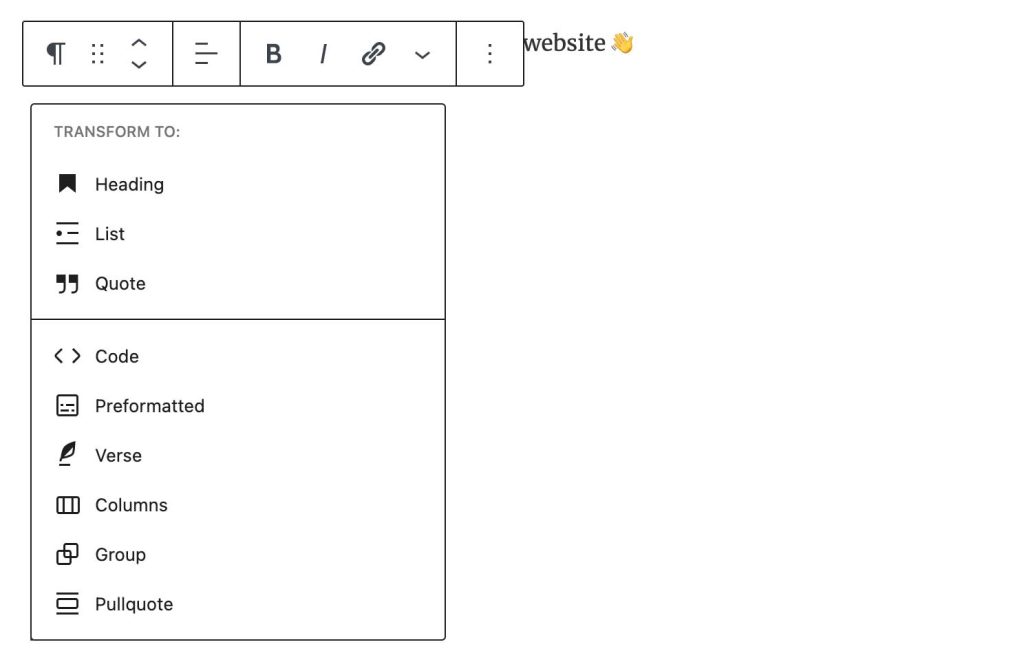
The very first block at the top is your post title. As you hit enter and start typing in a new block, you’ll get a paragraph block. To change it to a subtitle, please hover over the desired paragraph and click on the Paragraph icon. A drop down will appear. All you need to do is click on Heading. Check the image below.
How to add images
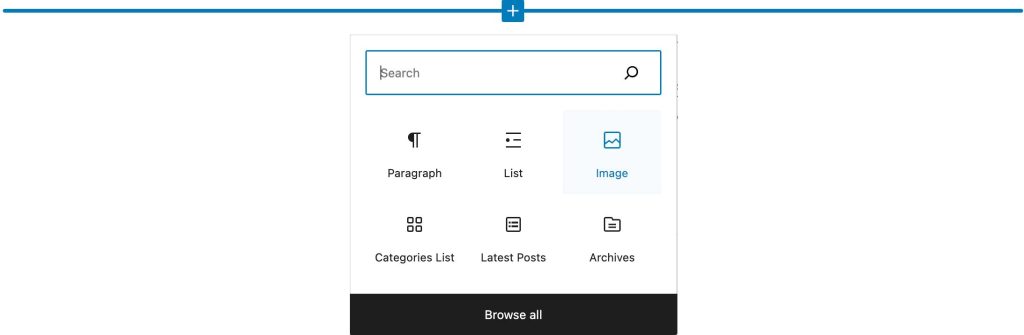
To add an image, please type /image on a blank paragraph, or click the + button to add a new block:
Post Sidebar

You can control your post settings on the right Post sidebar. You can select a Publish date: Immediately or, for scheduling post, select a future date and time. Keep scrolling down and you’ll see other useful features like Authors, Categories, Tags, Featured image and Excerpt.
Always add a featured image. This image will be displayed trhoughout your website as your post thumbnail.
Excerpt appear as a copy below the title, working as way to engage readers that are browsing around your homepage to click and read your aticles.
Featured image and excerpt are important fields to Google Search Bot. Make sure your content are being properly indexed and displayed at search results!
Under Template, you can select between Default and Immersive Story. Under Format, you can select between Audio, Video or Standard. This post is using a Video format — you can see an overlay on the feature image and a video tag next to this article’s title.
Author

Related Articles
Video How to structure your content with Categories and Tags
Categories are mandatory, Tags are optional. Check some best practices on this post.

Immersive post template
One last tutorial for you!